Control each tab
Listeners choose which tabs to protect. Audio controls make it possible to adjust the response to peaks, tones, and alarms.

Sonic Shielding gives listeners control over harsh browser audio. The extension softens sudden peaks and piercing tones while aiming to keep speech and useful sounds recognizable.
Explore Sonic Shielding ↗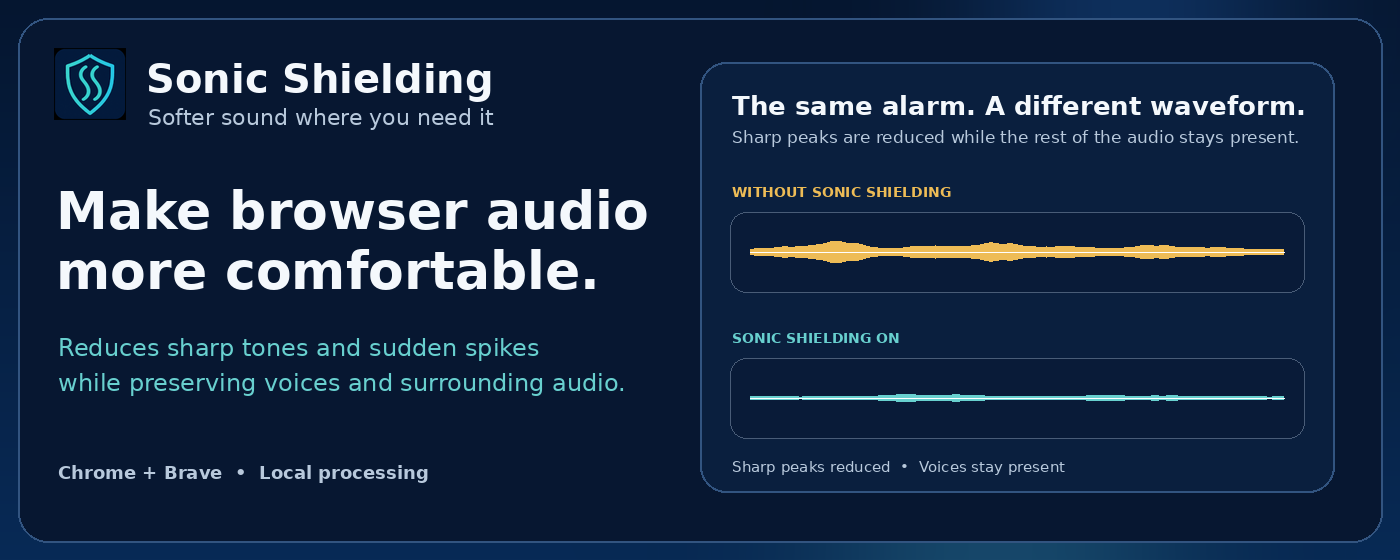
The project
A video, meeting, or web page can move abruptly from quiet speech to an alarm, beep, or loud impact. Sonic Shielding was built to give listeners more control over those changes in Chrome and Brave. Its purpose is to soften uncomfortable audio while keeping conversation and useful sound recognizable.
The work combines a browser extension, a real-time audio engine, and controls that explain what the listener can change. Protection is chosen per tab, with a saved comfort profile for frequency preferences. Audio stays on the device throughout processing.
What we built
Listeners choose which tabs to protect. Audio controls make it possible to adjust the response to peaks, tones, and alarms.
A saved nine-band profile lets listeners tune frequency reductions. The audio processor responds to the sound rather than lowering everything by the same amount.
Audio processing happens on the listener’s device. The extension does not record or upload audio for remote analysis.
The listening experience
The setup flow explains how to pin the extension and start protection for the current tab. The user remains in control of which tabs are protected rather than having every browser sound silently redirected. Setup guidance, the extension toggle, and the detailed controls each have a distinct role.
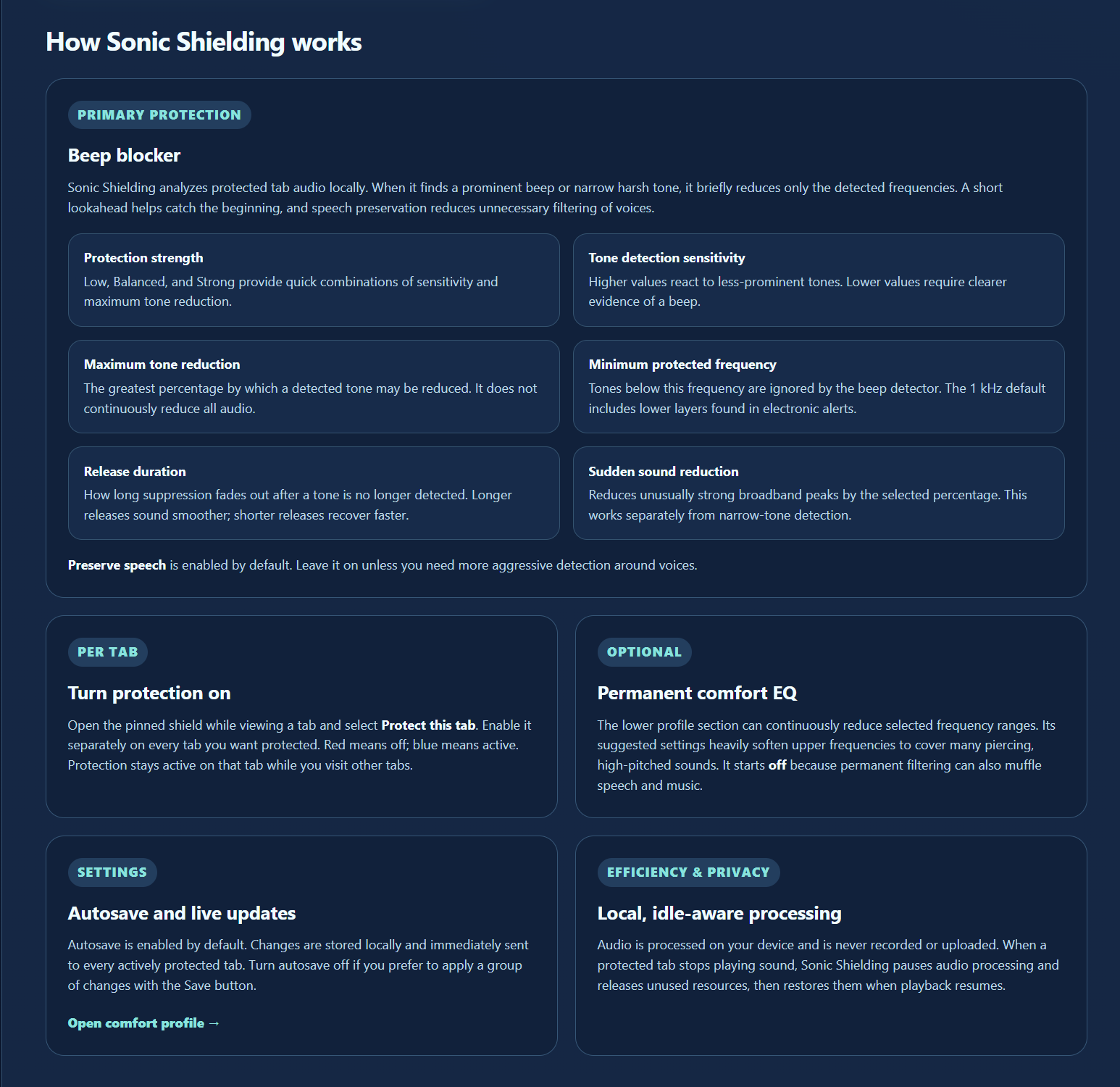
Listeners can adjust how the extension responds to tonal sounds, sudden peaks, and alarm-like patterns, with speech preservation included in that balance. This makes the controls a way to tune the experience instead of relying on a single on-or-off reduction for every kind of audio.
Personal preferences
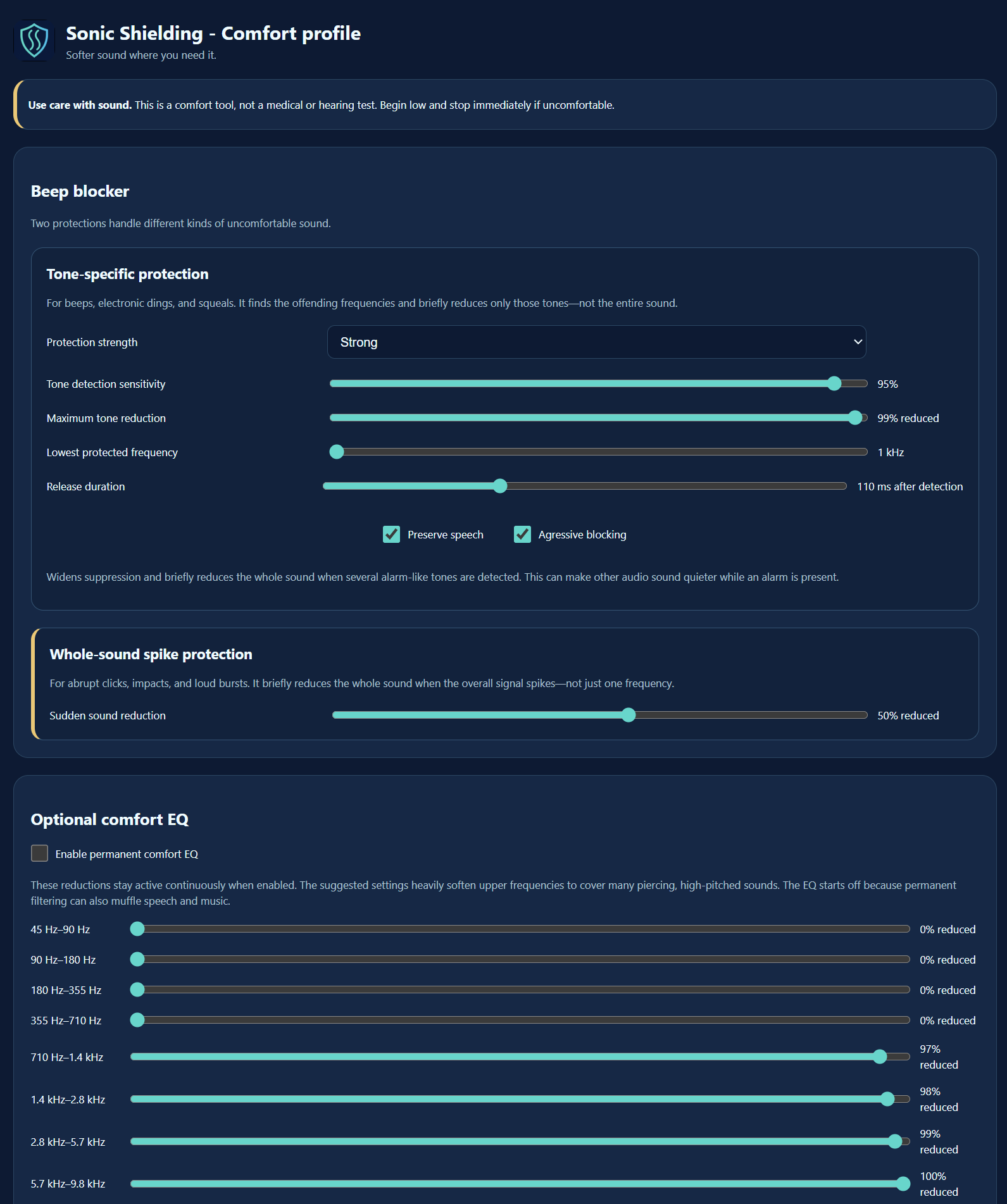
A nine-band comfort profile spans low frequencies through the upper range of browser audio. Saved reductions control individual frequency bands, allowing a listener to soften the areas they find uncomfortable without making one blanket volume change.
The controls expose the tradeoffs behind the processing: how sensitive tone detection should be, which frequencies it should consider, how strongly it should respond, and how quickly it should release the reduction. Keeping those choices together makes it easier to understand and revisit the profile.
The audio engine
A Web Audio processor examines short windows of sound from a protected tab. It looks for prominent tones and sudden level changes, then applies the response selected by the listener. Persistent tonal candidates are tracked across successive windows so an isolated spectral peak is not automatically treated as an alarm.
The engine uses targeted filters for tones and a separate limiter for broadband clicks, impacts, and bursts. A short look-ahead delay gives the processor time to analyze a peak before it reaches the output. Attack and release behavior control how quickly reduction begins and how smoothly normal audio returns.
Adaptive notch filters track confirmed frequencies and reduce their prominence without applying the same cut across the whole audio signal.
Aggressive mode looks for multiple stable tonal components. When that pattern is confirmed, the response can widen and temporarily reduce the overall signal.
Speech-aware thresholds avoid treating ordinary voiced harmonics as alarms, while the limiter separately catches sudden broadband level changes.
Privacy and practical delivery
The extension processes audio locally in the browser. It does not record the sound, upload it, or send it to a remote analysis service. Processing resources are also released while protected audio is silent, keeping the implementation attentive to how the extension is used between active listening periods.
The project includes setup information, support guidance, and a privacy explanation alongside the extension itself. Those materials help users understand both the controls and the boundaries of the product. Sonic Shielding is a listening-comfort tool; it does not promise to prevent migraine symptoms or replace medical care.
Software by John Bieniek. Read the engineering overview ↗
Let’s build something useful for your audience and your community.
Start a conversation →